Building Your First Home Studio in 2026: The Complete Guide for Electronic Producers
By maikk. Published . Filed under Pro Tips.
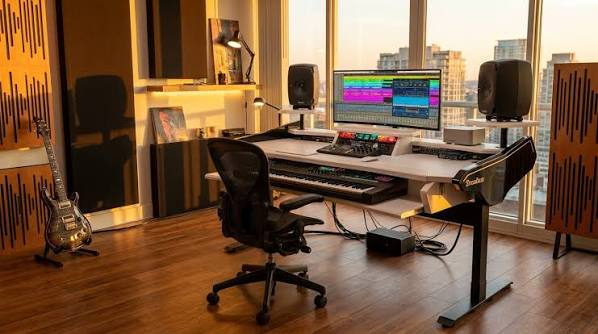
The complete 2026 guide to building your electronic music production studio from scratch.
Why 2026 Is the Best Time Ever to Start Producing Electronic Music Let's get one thing straight: there has never been a better moment to start making electronic music than right now. The barriers that once kept bedroom producers locked out of professional-sounding results have essentially evaporated. Hardware prices have plummeted, software has reached absurd levels of quality (much of it free), and the underground scene is thriving with more opportunities than ever to get your tracks heard. A decade ago, you needed tens of thousands of dollars in gear just to get a decent signal chain going.
Today, a laptop and a few hundred bucks can get you producing tracks that rival what came out of professional studios in the 2000s. The democratization of music production isn't just a talking point anymore -- it's a reality, and it's reshaping the underground from the ground up. At TheBunker, we've watched producers go from zero experience to playing their own tracks at our events in under a year. The tools exist. The knowledge is out there. All you need is the right setup and the discipline to put in the hours.
This guide will walk you through everything you need to build a functional, great-sounding home studio in 2026, whether you're working with a tight budget or ready to invest seriously in your craft. --- Essential Gear Breakdown by Budget Tier Not everyone has the same budget, and that's perfectly fine. We've broken down gear recommendations into three tiers so you can find your entry point and upgrade over time. 💰 Tier 1: The Essentials ($500) This is your "no excuses" tier. For around $500, you can build a setup capable of producing release-ready electronic music. Seriously.
DAW (Digital Audio Workstation): Ableton Live 12 Intro ($99) -- The industry standard for electronic music. Even the Intro version gives you enough to produce full tracks. Session View is unmatched for live performance and experimentation. FL Studio Fruity Edition ($99) -- Lifetime free updates, incredible piano roll, and a massive user community. Great for beat-heavy genres. Free alternatives: Ardour, LMMS, or the ever-capable Ableton Live Lite (often bundled with audio interfaces and MIDI controllers).
Audio Interface: Focusrite Scarlett Solo 4th Gen ($120) -- Rock-solid preamps, ultra-low latency, and bus-powered via USB-C. This is the interface that launched a million bedroom producers, and for good reason. Behringer UMC22 ($60) -- If you're really pinching pennies, this gets the job done. Not as refined as the Scarlett, but functional. Headphones: Audio-Technica ATH-M50x ($150) -- The most recommended studio headphones in this price range. Flat enough for mixing, comfortable for long sessions. You'll see these in studios worldwide.
AKG K240 ($70) -- Semi-open design, lighter on the wallet. Good for extended production sessions but not ideal for tracking in the same room as monitors. MIDI Controller: Akai MPK Mini MK3 ($60) -- 25 mini keys, 8 pads, 8 knobs. It's tiny, it's cheap, and it's everywhere for a reason. Perfect for sketching out melodies and programming drums. Arturia MiniLab 3 ($100) -- Slightly more premium feel, great integration with Arturia's Analog Lab software (included), which gives you thousands of preset sounds.
What you skip at this tier: Studio monitors (use headphones), hardware synths, acoustic treatment, dedicated microphone. These can all come later. 🎹 Tier 2: The Serious Setup ($1,500) This is where things start to feel like a real studio. You're adding monitors, better software, and possibly your first piece of hardware. DAW: Ableton Live 12 Standard ($349) -- Unlocks a massive amount of instruments, effects, and features over Intro. Worth every cent if you're committed to Ableton. Bitwig Studio ($299) -- The modular routing and sound design capabilities are extraordinary.
If you're into experimental electronic music, Bitwig is a serious contender. FL Studio Producer Edition ($199) -- Full version with audio recording, lifetime updates. The piano roll alone is worth the price of admission. Audio Interface: Universal Audio Volt 276 ($230) -- Built-in vintage compressor emulation, excellent preamps, and UA's growing plugin ecosystem. A significant step up from budget interfaces. Audient iD4 MKII ($200) -- Audient console-quality preamps in a compact format. One of the cleanest-sounding interfaces in this price range.
Studio Monitors: Yamaha HS5 ($400/pair) -- The white-cone classics. Flat, honest response that won't lie to you about your mix. They're in practically every home studio for a reason. IK Multimedia iLoud Micro Monitor ($350/pair) -- Surprisingly powerful for their size, with built-in room correction. Perfect if your space is limited. KRK Rokit 5 G5 ($350/pair) -- Slightly hyped low end, which some electronic producers actually prefer. Built-in EQ for room correction. MIDI Controller: Novation Launchkey 49 MK3 ($200) -- Full-size keys, pads, faders, and deep Ableton integration.
This becomes the center of your production workflow. Native Instruments Komplete Kontrol M32 ($140) -- Excellent integration with NI's software ecosystem and Komplete Start (free bundle). First Hardware Synth (Optional): Arturia MicroFreak ($300) -- Digital oscillator engine with an analog filter. Paraphonic, weird, wonderful. It can do everything from pads to aggressive leads to experimental textures. Korg Minilogue XD ($500) -- True analog polyphonic synth with a digital multi-engine. Four voices, built-in effects. A modern classic.
Headphones (Upgrade): Beyerdynamic DT 770 Pro (250 Ohm) ($160) -- Exceptional detail and comfort. The closed-back design is great for tracking and mixing when you can't use monitors. 🔥 Tier 3: The Full Rig ($3,000+) At this level, you're building a studio that can handle professional-grade production, mixing, and even mastering. DAW: Ableton Live 12 Suite ($599) -- Everything Ableton offers: Max for Live, all instruments and effects, granular synthesis, spectral tools. This is the full creative arsenal. Bitwig Studio + Upgrade Plan ($399) -- Full version with future updates.
The modular Grid is a playground for sound design. Audio Interface: RME Babyface Pro FS ($800) -- Legendary converters, rock-solid drivers, near-zero latency. This is the interface that professionals trust for critical work. Universal Audio Apollo Solo ($700) -- UAD plugin processing built in, Unison preamps, and access to some of the best plugin emulations in the industry. Studio Monitors: Adam Audio A7V ($1,000/pair) -- The folded ribbon tweeter gives you exceptional high-frequency detail. Room correction built in. These are serious monitors.
Genelec 8030C ($1,200/pair) -- The Finnish reference standard. Incredibly accurate, built like tanks, and the Smart Active Monitor system is remarkable. Focal Alpha 65 Evo ($700/pair) -- Beautiful midrange clarity, great for electronic music where precision matters. Synthesizers: Sequential Take 5 ($1,300) -- Five-voice true analog polysynth with the legendary Curtis filters. Rich, warm, and immediately musical. Elektron Digitone ($750) -- FM synthesis made accessible with Elektron's incredible sequencer. Perfect for melodic techno and ambient.
Moog Subsequent 25 ($700) -- Classic Moog sound in a compact format. Nothing does bass and leads quite like a Moog. Microphone (for Sampling): Rode NT1 5th Gen ($250) -- Ultra-low noise floor, USB and XLR output. Perfect for sampling found sounds, vocals, and field recordings that add unique texture to your productions. Shure SM57 ($100) -- The indestructible workhorse. Great for close-miking anything you want to sample. MIDI Controller: Ableton Push 3 ($999) -- A standalone instrument and the ultimate Ableton controller. If you're deep in the Ableton ecosystem, this is transformative.
Native Instruments Maschine+ ($1,300) -- Standalone sampling and production powerhouse. Hardware workflow with software flexibility. --- 🏛️ Acoustic Treatment on a Budget Here's the uncomfortable truth: your room is probably lying to you. Untreated rooms create reflections, standing waves, and frequency buildup that completely distort what you're hearing from your monitors. You might think your bass is perfect, but step outside your room and it's a muddy mess. The good news? Basic acoustic treatment doesn't have to cost a fortune.
DIY Absorption Panels ($50-150 total) Build your own panels using rigid fiberglass insulation (Owens Corning 703) wrapped in breathable fabric. Four 2'x4' panels at reflection points will transform your room. Plenty of tutorials exist online, and the materials cost a fraction of commercial panels. Strategic Placement First reflection points: Place panels on the side walls at the point where sound bounces from your monitors to your listening position. Use a mirror -- if you can see the monitor from your listening position in the mirror on the wall, that's where the panel goes.
Behind the monitors: Absorption here reduces rear-wall reflections. Corners: Bass traps in corners address low-frequency buildup. Even cheap foam bass traps help, though DIY broadband traps with thick insulation are far more effective. What NOT to Do Don't cover every wall in foam. You'll kill all the high frequencies and make your room sound dead and boxy. Balance is key. Don't use egg cartons. They do essentially nothing acoustically. This is a myth that needs to die. Don't skip the corners. Bass buildup in corners is the biggest problem in small rooms, and it's the easiest to address.
The Headphone Alternative If you truly can't treat your room, lean into headphone mixing. Reference-grade headphones like the Sennheiser HD 600 ($300) paired with software like Sonarworks SoundID Reference ($100) can simulate a flat monitoring environment. It's not a perfect replacement for monitors in a treated room, but it's remarkably close. --- 🔌 Software Plugins Every Electronic Producer Needs Your DAW comes with a lot of built-in tools, but these plugins will expand your creative palette significantly.
Free Essentials Vital -- A spectral warping wavetable synthesizer that rivals (and arguably surpasses) paid options like Serum. The free version is incredibly generous. This is a must-have. Dexed -- Yamaha DX7 emulation. Classic FM synthesis that's been on countless records. Completely free. Surge XT -- Open-source hybrid synthesizer with an enormous feature set. Wavetable, FM, subtractive, and more. TDR Nova -- Dynamic equalizer and parametric EQ. Surgical, transparent, and free. Use it on everything. Voxengo SPAN -- Spectrum analyzer that should live on your master bus.
Essential for understanding what's happening in your frequency spectrum. Airwindows -- Chris Johnson's massive collection of free, open-source plugins. Raw and minimal interfaces, but the sound quality is exceptional. Try "Density" for saturation and "Monitoring" for reference mixing. Kilohearts Essentials -- Free bundle of utility effects that snap together in the Kilohearts ecosystem. Great for creative sound design. Worth the Investment FabFilter Pro-Q 4 ($180) -- The gold standard of equalizers. The dynamic EQ, mid/side processing, and spectrum analyzer are unmatched.
Arturia V Collection ($400) -- Emulations of classic synthesizers from the Minimoog to the CS-80. The quality is staggering. Valhalla DSP (Shimmer $50, VintageVerb $50, Delay $50) -- Sean Costello's reverbs and delays are used on countless professional productions. Affordable and exceptional. Soundtoys 5 Bundle ($300 on sale) -- Creative effects that add character and vibe. Decapitator (saturation), EchoBoy (delay), and Little Plate (reverb) are legendary. Xfer Serum ($190) -- The wavetable synth that defined modern electronic music production.
If Vital doesn't click with you, Serum absolutely will. Rent-to-own available. Native Instruments Komplete ($600 for Standard) -- Massive collection of instruments, effects, and samples. Reaktor alone is worth the price for sound design. Sample Libraries and Packs Splice ($10/month) -- Access to millions of royalty-free samples. Essential for electronic producers who need drums, loops, and one-shots. Loopcloud -- Similar to Splice with AI-powered sample search and built-in editing tools. Freesound.org -- Community-driven library of Creative Commons samples.
Great for unique textures and found sounds. NASA Sound Library -- Yes, NASA releases sounds from space missions. Free, unique, and perfect for ambient and experimental textures. --- 🔗 Setting Up Your Signal Chain Getting your signal chain right from the start saves you countless headaches down the road. The Basic Chain Step-by-Step Setup 1. Connect your audio interface to your computer via USB-C (or Thunderbolt for higher-end models). Install the manufacturer's drivers and control software. 2. Set your buffer size. Start at 256 samples for a good balance between latency and CPU usage.
Drop to 128 or 64 when recording/playing live. Increase to 512 or 1024 when mixing. 3. Connect your monitors. Use balanced TRS or XLR cables from your interface outputs to your monitors. Position monitors at ear height, forming an equilateral triangle with your head. Angle them inward at 30 degrees. 4. Set monitor levels. Use pink noise at -20dBFS and adjust your monitors so the level at your listening position is around 75-80 dB SPL. A free SPL meter app on your phone gets you close enough. 5. MIDI controller setup. Connect via USB, configure in your DAW's MIDI preferences.
Most modern controllers are class-compliant (no drivers needed). Map knobs and faders to your most-used parameters. 6. Hardware synths connect audio outputs to your interface inputs and MIDI via USB or traditional 5-pin DIN cables. Configure your DAW to send MIDI to the synth and record the audio input. Gain Staging This is where most beginners go wrong. Keep your levels in check throughout the entire chain: Record at -18 to -12 dBFS on your interface inputs. This gives you plenty of headroom. Keep individual track levels peaking around -6 to -12 dBFS in your DAW.
Your master bus should peak no higher than -6 dBFS before mastering. Never clip your audio interface outputs. Digital clipping sounds terrible and is completely avoidable. --- 💻 The Laptop vs Desktop Debate This comes up constantly, and the answer depends entirely on your situation.
Laptop: The Flexible Choice Pros: Produce anywhere -- coffee shops, trains, backstage, hotel rooms Double as your live performance rig Modern laptops (M-series Macs, AMD Ryzen 7/9 laptops) handle serious production loads Smaller footprint in tight spaces Cons: Thermal throttling during heavy sessions Limited upgrade path (especially Apple Silicon Macs) Smaller screens make mixing and arranging less comfortable Higher cost for equivalent performance Best laptop picks for 2026: Apple MacBook Pro 14" M4 Pro ($2,000) -- The benchmark for music production laptops.
Excellent single-core performance, silent operation, insane battery life. Lenovo Legion Slim 5 (AMD Ryzen 9) ($1,200) -- Powerful, good thermals, and significantly cheaper than Apple. Framework 16 ($1,400) -- Modular, repairable, upgradeable. The sustainable choice.
Desktop: The Power Choice Pros: More power per dollar Easy to upgrade over time Better thermal management Multiple monitor support out of the box Quieter operation (with proper cooling) Cons: Stays in one place Need a separate rig for live performance Requires monitor, keyboard, mouse separately Best desktop approach for 2026: Build your own with an AMD Ryzen 7 7800X3D, 32GB DDR5, 1TB NVMe SSD ($800 for the tower). You'll get substantially more performance than any laptop at this price. Apple Mac Studio M4 Max ($2,000) -- If you want Apple's ecosystem without the laptop premium.
Silent, compact, powerful. Intel NUC or mini PC ($600) -- Compact form factor with decent power. Good middle ground. Our Recommendation If you play live or travel frequently, get a laptop. If your studio is a fixed location and you don't perform live, build a desktop and save the difference for better monitors or a synth. Many producers end up with both eventually -- a desktop for studio work and a laptop for performance. --- 🎧 Workflow Tips from Underground Producers We asked some of the producers in TheBunker collective for their best workflow advice. Here's what they shared.
Start with the End in Mind Before you open your DAW, decide what you're making. Is it a peak-time techno track? An ambient piece? A DJ tool? Having a clear intention prevents the endless noodling that kills productivity. The 8-Bar Loop Trap Everyone falls into it. You make an incredible 8-bar loop, then spend three hours tweaking it instead of building an arrangement. Set a timer: 30 minutes for your core loop, then force yourself into arrangement mode. Use reference tracks to guide your structure. Commit to Decisions Bounce your MIDI to audio. Print your effects. Flatten your layers.
Every decision you commit to moves the track forward. Every option you leave open is a future distraction. This is one of the biggest differences between producers who finish tracks and those who don't. Template Sessions Build a template with your go-to instruments, effects chains, and routing pre-loaded. You should be able to open your DAW and start making music within 30 seconds.
Include: A drum rack with your favorite kit loaded A bass instrument A pad/atmosphere instrument A lead instrument Your master chain (EQ, compressor, limiter, spectrum analyzer) Send effects (reverb, delay) Color coding and naming conventions The 80% Rule A track is never truly "finished" -- you just stop working on it. When your track is 80% of what you envision, start wrapping it up. That last 20% often takes more time than the first 80% and rarely makes a noticeable difference to the listener. Ear Fatigue is Real Take a 10-minute break every 45-60 minutes. Step away from your monitors.
Your ears need rest to maintain perspective. Some producers keep a pair of cheap earbuds or a Bluetooth speaker nearby to check their mix on different systems during breaks. Collect and Curate Sounds Spend dedicated time building your personal sample library. Record sounds with your phone. Process and organize them. Having a curated collection of YOUR sounds is what makes your productions unique.
Every producer in TheBunker collective has a signature sound palette they've built over time. --- ⚠️ Common Beginner Mistakes to Avoid We see these constantly, and avoiding them will accelerate your progress dramatically. Over-Spending on Gear Before Learning Your DAW's stock plugins can produce professional results. Buying Serum, Omnisphere, and a hardware synth before you understand basic synthesis is like buying a race car before you have a driver's license. Learn the fundamentals first, then invest in specialized tools.
Ignoring Gain Staging If every channel in your mixer is peaking in the red, your mix will sound harsh and distorted no matter how good your individual sounds are. Keep your levels conservative. Your master bus will thank you. Mixing as You Produce Production and mixing are different mindsets. When you're producing, focus on ideas, energy, and arrangement. When you're mixing, focus on balance, clarity, and space. Trying to do both simultaneously leads to neither being done well.
Comparing Your Tracks to Professional Releases That track you love on Drumcode or Afterlife has been produced by someone with years (often decades) of experience, mixed by a professional engineer, and mastered in a world-class facility. Your first tracks won't sound like that, and that's completely normal. Compare your track #50 to your track #1 instead. Not Finishing Tracks The single most important skill in music production is finishing tracks. A completed, imperfect track teaches you more than a hundred abandoned 8-bar loops. Set a goal: finish one track per month, no matter what.
They don't have to be good. They have to be done. Skipping Music Theory Basics You don't need a music degree, but understanding scales, chords, and basic harmony will transform your productions. Learn the minor scale, the natural minor chord progression, and basic chord voicings. That's enough to write compelling electronic music. Solo-ing Everything Stop solo-ing individual tracks and tweaking them in isolation. Music is about how elements relate to each other. Always make mixing decisions in the context of the full mix. If something sounds good solo but bad in the mix, it's wrong.
If it sounds weird solo but good in the mix, it's right. Neglecting the Low End Bass and kick drum relationship is the foundation of electronic music. Learn about sidechain compression, frequency separation, and how to create space in the low end. A muddy low end ruins even the best arrangement. --- 📚 Free Resources and Communities You don't have to figure this out alone. The electronic music production community is one of the most generous and helpful creative communities out there. YouTube Channels You Suck at Producing -- Entertaining and genuinely educational. Great for beginners.
Andrew Huang -- Experimental approach to production with great gear reviews. AHEE -- Deep dives into Ableton Live techniques and sound design. Underdog Electronic Music School -- Focused on electronic music production fundamentals. In The Mix -- Clear, concise tutorials on mixing and production techniques. Online Communities r/edmproduction (Reddit) -- Active community with regular feedback threads and Q&A. r/synthesizers (Reddit) -- Hardware synth community with great buying advice. WATMM -- We Are The Music Makers, one of the oldest online production communities.
Discord servers -- Virtually every DAW and plugin has a Discord community. Ableton, FL Studio, Bitwig, and Vital all have active servers. TheBunker community -- Join our events, connect with our resident DJs, and share your productions. We actively support emerging producers. Free Courses and Tutorials Ableton's Learning Music (learningmusic.ableton.com) -- Interactive browser-based course covering beats, notes, chords, basslines, and song structure. Completely free and brilliantly designed. Syntorial (free demo) -- Learn synthesis by ear. The demo covers subtractive synthesis basics.
Coursera/edX -- Free audit courses on music production from Berklee and other institutions. Plugin manufacturer tutorials -- FabFilter, Arturia, Native Instruments, and others publish excellent free tutorials on their YouTube channels. Practice Projects 1. Recreate a track you love. Pick a relatively simple electronic track and try to recreate it from scratch. You'll learn more from one recreation than from ten tutorials. 2. One-synth challenges. Make an entire track using only one synthesizer. This forces you to learn that synth deeply. 3. Sample challenge.
Take a single sample (a vocal hit, a field recording, anything) and build an entire track around it. 4. Genre exploration. Each month, try producing in a genre you've never attempted. Techno one month, drum & bass the next, ambient the next. --- 🎯 TheBunker's Recommended Starter Pack After years of watching producers develop in our community, here's what we recommend for someone starting from absolute zero in 2026.
The Setup ($700 total) | Item | Price | |------|-------| | Ableton Live 12 Intro | $99 | | Focusrite Scarlett Solo 4th Gen | $120 | | Audio-Technica ATH-M50x | $150 | | Arturia MiniLab 3 (includes Analog Lab Intro) | $100 | | Vital Synth (free) | $0 | | Splice Subscription (6 months) | $60 | | DIY Acoustic Panels (4 panels) | $100 | | Cables and accessories | $50 | | Total | $679 | Why This Combo Works Ableton is the standard in electronic music and the best investment you can make in learning production. The Scarlett Solo gives you clean audio I/O that won't limit you as you grow.
The ATH-M50x are honest enough for mixing and comfortable enough for long sessions. The MiniLab 3 gives you keys, pads, and knobs to get hands-on with your music, plus Analog Lab Intro adds thousands of sounds. Vital fills your wavetable synth needs for free. Combined with Ableton's built-in instruments, you have a massive sound palette. Splice gives you access to professional-quality samples immediately while you learn to create your own. DIY panels at first reflection points dramatically improve what you hear, even with headphones as your primary monitors.
The Upgrade Path Once you're comfortable and finishing tracks regularly: 1. Add studio monitors (Yamaha HS5, $400/pair) -- The single biggest upgrade for your mixes. 2. Upgrade Ableton to Standard ($250 upgrade) -- Unlocks far more creative possibilities. 3. Get your first hardware synth (Arturia MicroFreak, $300) -- Tactile interaction with sound changes your creative process. 4. Invest in FabFilter Pro-Q 4 ($180) -- Elevates your mixing from amateur to professional. 5.
Consider Ableton Push 3 when you're ready to perform live or want a deeply integrated hardware workflow. --- Final Thoughts Building a home studio isn't about buying the most expensive gear or having the most plugins. It's about creating a space where you can sit down and make music with minimal friction. The best studio is the one that inspires you to create. Start small. Learn your tools deeply before expanding. Finish tracks. Share your music. Connect with other producers. The underground electronic music community is built on mutual support and shared passion.
And when you've got your first few tracks ready, send them our way. TheBunker is always looking for fresh talent from the underground. See you in the studio. 🎶 --- Have questions about setting up your studio? Join the conversation in our community or drop us a message. The residents of TheBunker are always happy to help fellow producers find their sound.
Tags: HomeStudio, MusicProduction, StudioSetup, Ableton, Synthesizers, AudioInterface, ProducerTips, BedroomProducer